

If you have an existing rubric for an assessment that will also include Outcomes assessment, you can easily integrate Program or Core outcomes to your Rubric by following the instructions below.
- Create your assessment in Canvas by creating either an Assignment or Quiz.
- After you Save your assessment, click “Find Rubric” at the bottom of the assessment page and locate the desired Rubric.
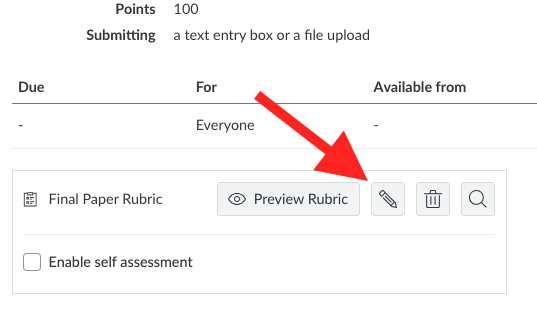
- Your Rubric will appear. At the end of your existing Criteria, click the button to select “Create from Outcome”. You'll see a Directory of the Outcomes available to you.
- Select the Outcome you wish to add to your rubric.
- Review the setting for “Use this criterion for scoring”. If you wish to use the outcome to score your students, leave it checked. If you don't, uncheck the box.
- Press Import.
- To add additional Outcomes, press “Create from Outcome” and select additional criteria.
- Press “Save Rubric” when you are finished.
It is highly recommended to review the Rubric and also “View as Student” to review the assessment from the students' point of view.