

To view a student's outcome report:
- Go to your Canvas course.ac
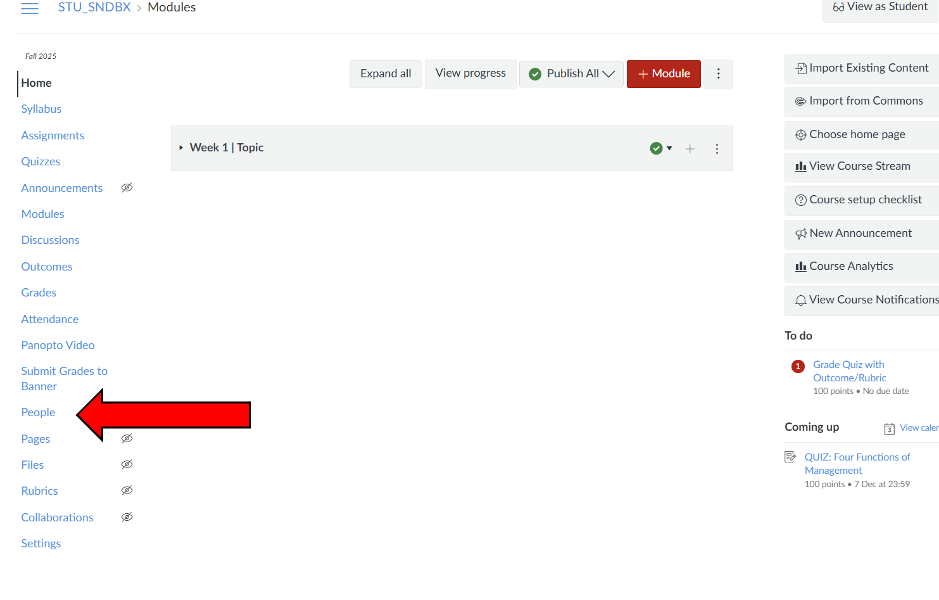
- Click People on the left-side menu.
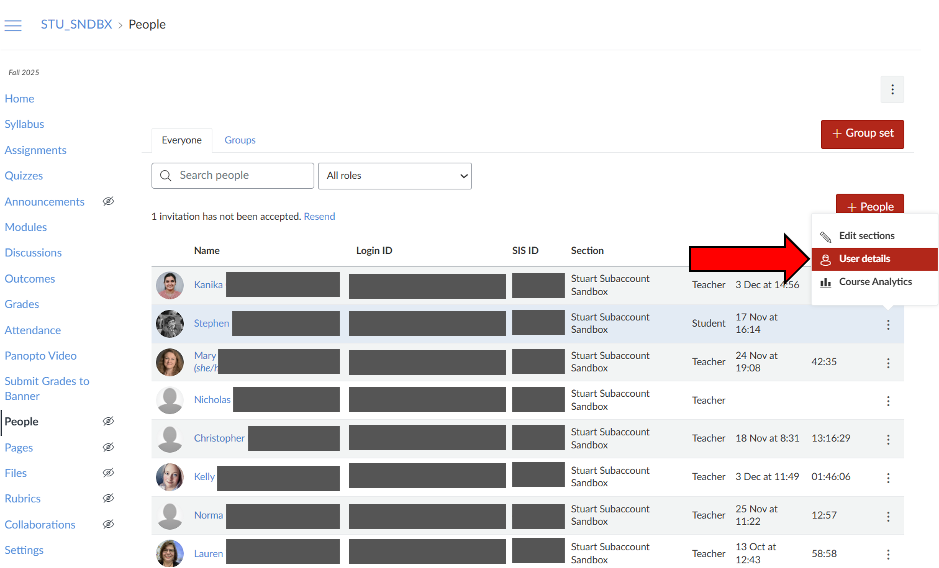
- Search and select the student.
- Click User Details
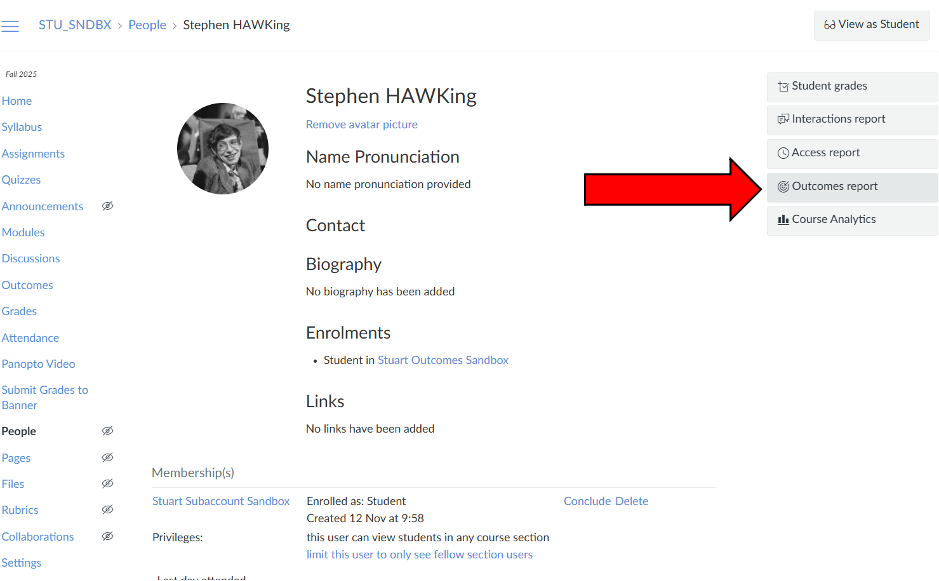
- Click Outcomes Report.
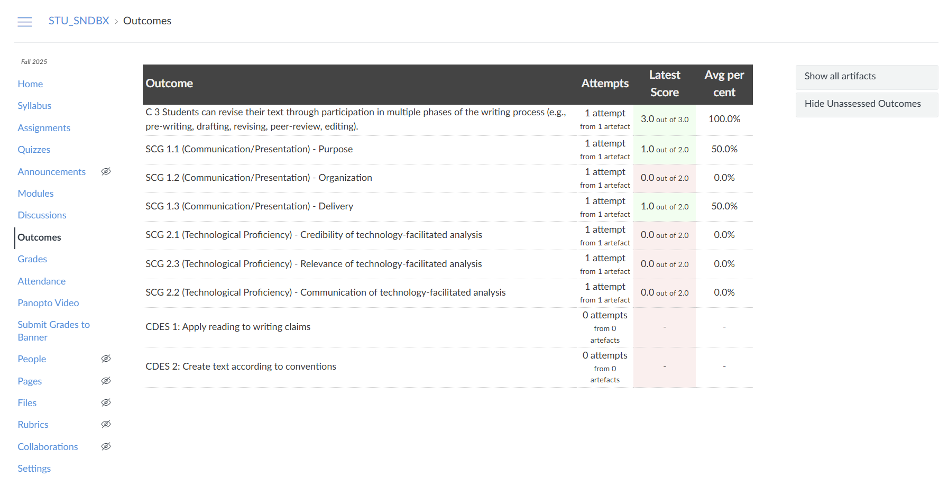
- Review:
- Outcomes overview
- Number of attempts
- Latest score
- Average percentage
Canvas Guide: View Individual Outcome Report
For further assistance, contact SupportDesk@IllinoisTech.edu