

To make adding Outcomes to your assessments easier, each Department or Program Outcome has been integrated into a Rubric. To align outcomes with assignments, follow the instructions below. If you already have a Rubric, see How to Add Outcomes to Existing Rubrics.
If the assessment is a presentation or doesn’t have a tangible asset for the student to upload, instructors can still create assignments by selecting “No Submission” for the Submission Type. Instructions to Create an Assignment.
- Create or Open an Assignment:
- Navigate to your course.
- Click on Assignments in the course navigation.
- Create a new assignment or open an existing one.
Add a Rubric:
- Scroll to the bottom of the assignment page.
- Click Find Rubric.
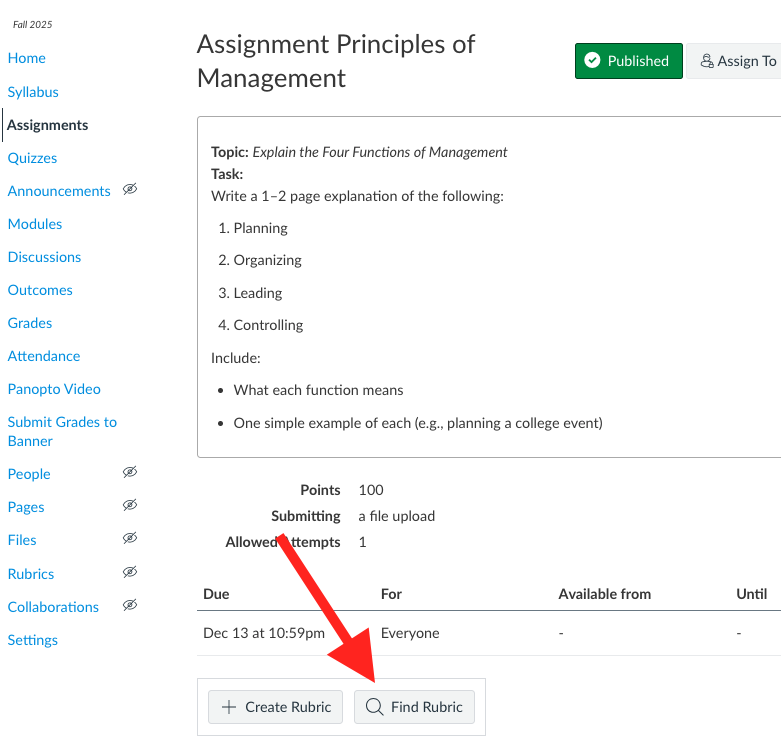
- Locate the Rubric
- A search will appear on the right side of the screen. Use the drop-down menu to locate your program or department. Any Rubrics created for that group will appear on the screen.
- 💡 TIP: Because the text area is limited, click on the carrot to preview the Rubric.
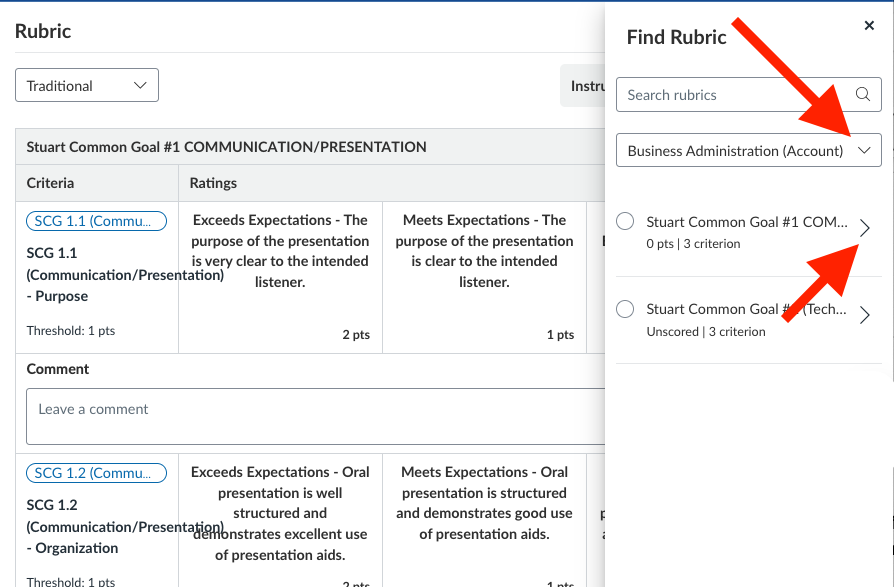
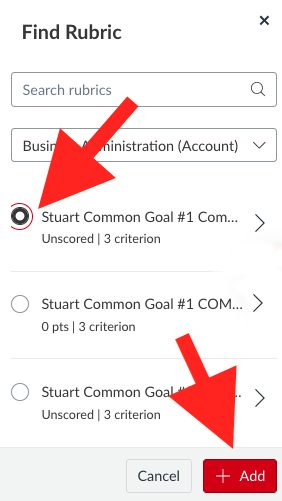
- Select the desired Rubric and click + Add
- If you wish, you can edit the rubric to remove any criteria that does not apply to that particular assessment.
- When you're ready, publish the Assignment.
- 💡 TIP: Because the text area is limited, click on the carrot to preview the Rubric.
- A search will appear on the right side of the screen. Use the drop-down menu to locate your program or department. Any Rubrics created for that group will appear on the screen.
Note: Students will see the Rubric attached to the assessment. You may wish to explain why the Outcomes are being assessed and that they do not necessarily impact their grade on the assessment. By default, the Outcome Rubrics are not used for scoring the assessment, but instructors can change that if they wish.
Suggested language: At Illinois Tech, we use Canvas Outcomes to determine overall teaching and learning effectiveness. You will see outcomes on some of your assignments/projects/exams. Outcomes do not affect your grade, but they do provide valuable information we use in designing our course.